A free extension for browser games
Browser Games Extension by Softonic is a Google Chrome extension that you can use to find, play, and bookmark thousands of browser games. With its help, you can access top browser games from different genres, including racing, shooting, action, dress-up, arcade, farming, and more. It is free-to-install and doesn’t require any activation key.
What are the features of Browser Games Extension by Softonic?
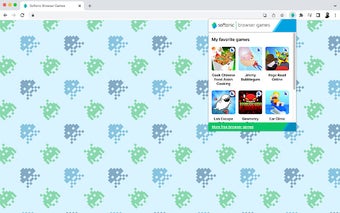
One of the best things about installing the Browser Games Extension by Softonic to your Chrome web browser is that it gives you instant access to popular titles. You don’t need to create a list of favorites and add it to the extension. Instead, you only have to click on the plugin and select any game that catches your eye.
In addition to displaying a grid of popular games, the extension features a link to more popular free-to-play games. Clicking on it will take you to Softonic’s website, where you can find hundreds of browser games from different genres. You can click on any game and bookmark it by tapping on the favorites icon. When you do this, the game will automatically get added to the extension, providing instant access.
What about the installation?
Installing the Browser Games Extension by Softonic to Google Chrome is quite simple. Once you have access to the extension link, click the Add Extension button. After this, you can access the Browser Games Extension by Softonic from the extensions icon on Chrome.
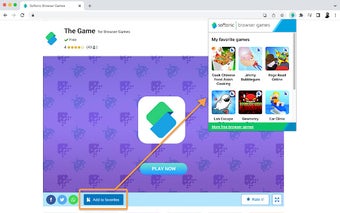
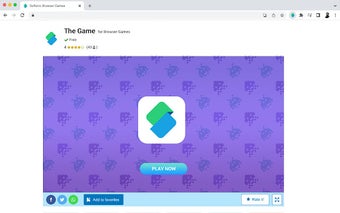
To add different browser games to your Softonic browser games extension, you have to find the title of your choice and tap on the Add to Favorites button. Doing this will automatically add your preferred game to the extension so you can access it quickly, anytime, anywhere.
Should I install the Browser Games Extension by Softonic to Chrome?
If you like playing browser games and are looking for several new options, you should check out Browser Games Extension by Softonic. It’s a free Google Chrome extension that gives you access to thousands of free web browser games that require no installation or download. With this extension, you can easily access your favorite games and find new games from hundreds of genres.
.jpg)
.jpg)
.jpg)
.jpg)